

MainStage Season Subscriptions 2026-27
On Sale Now!
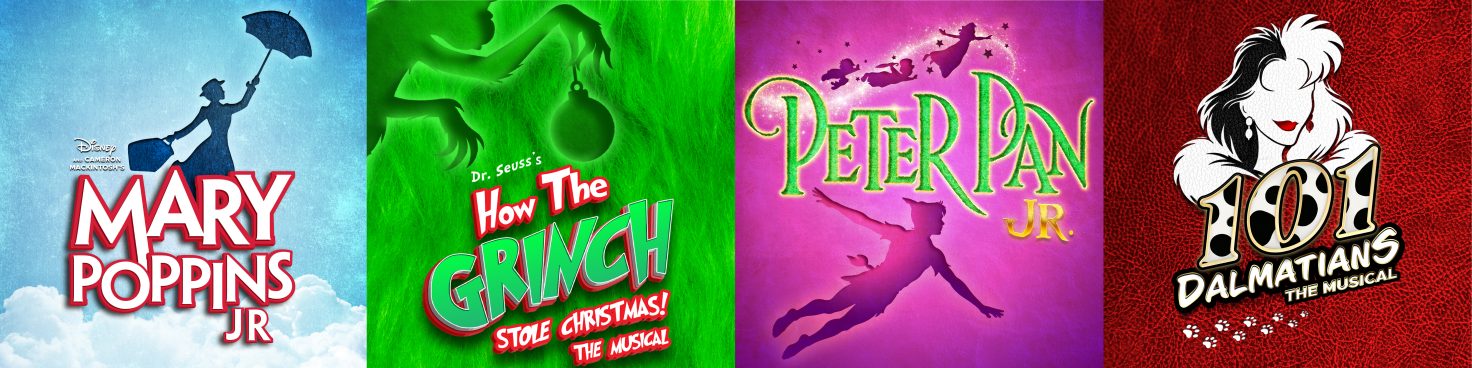
With a MainStage Season Subscription, you will receive tickets to one public weekend performance for each of the four MainStage productions. You’ll be in the same seats every time in the section you choose when you subscribe. Tickets may be exchanged once free of charge for any other performance of the same production. The price reflected below is the price for one person to attend all four MainStage productions. Depending on how many are in your party, you will purchase that many tickets in your subscription. Adult and child tickets are the same price. Infant (18 months or younger) Lap Passes are available for $12.
Already Have an Account? Login Below
If you’ve bought tickets or subscriptions with us before please follow the steps below.
1. First, login to the TCT Ticket Portal at the link below and use the email address associated with your account. If this is your first time using the web portal, select Forgot Password and follow the prompts.
2. Once you’ve logged in, click on Subscriptions then click Buy Subscription.
3. From there, you’ll be prompted to choose the number of Season Subscriptions you would like to purchase.
4. Next, you’ll choose the performance schedule you would like to subscribe to. Once selected, click Next.
5. You’ll be taken to a seating map. Please select your seats at this time. Once you are finished, click Next.
6. You’ve reached the Cart. Here you’ll see all of the tickets that are part of your subscription. You’ll also see a Service Charge that totals 8% per Subscription. From here you can proceed through the Checkout process to complete your purchase!
First-Timer?
If you are a first-time subscriber without an account, visit our subscription purchase page.
Renewing?
You can renew your subscription online following the steps below. If you want to upgrade your seats, purchase additional subscriptions, or change your performance date or time, you can do that online as well.
1. First, login to the TCT Ticket Portal and use the email address associated with your account. If this is your first time using the web portal, select Forgot Password and follow the prompts.
2. Once you’ve logged in, click on Subscriptions. Scroll down to see your 2026-2027 MainStage Season Subscription and click on Buy Subscription.
3. From there, you’ll be prompted to choose the number of Season Subscriptions you would like to purchase. You can choose to purchase the same number of seats as your current Season Subscription or you can add or remove seats from your Subscription.
4. Next, you’ll choose the performance schedule you would like to subscribe to. The schedule of your current Season Subscription will already be selected. If you would like to keep the same schedule, you can click Next.
5. You’ll be taken to a seating map. If you have selected the same schedule as your 25-26 subscription, you’ll see your current seats have small ticket icons on them. These indicate that these seats are held for you. If you are keeping the same seats for next season click Next. You can also select different seats at this step if you would like.
6. You’ve reached the Cart. Here you’ll see all of the tickets that are part of your subscription. You’ll also see a Service Charge that totals 8% per Subscription. From here you can proceed through the Checkout process to complete your purchase!
MainStage Subscription Pricing

Subscriber Benefits
- SUBSTANTIAL SAVINGS Save up to 40% of the cost of single tickets. A traditional subscription is the most cost effective way to get tickets!
- PRIORITY SEATING Receive the same seats on the same day for all four shows. You’ll also be able to renew these seats for future seasons!
- TICKETS AT A DISCOUNT ALL SEASON LONG Purchase extra MainStage tickets at your discounted rate throughout the season. (Subject to availability. Convenience fees will apply.)
- FREE TICKET EXCHANGE PRIVILEGES ANY TIME Easily change your performance date or time. Receive one free exchange per production. (Subject to availability. Convenience fees will apply.) No exchanges after your performance date has passed. (Same seats/section not guaranteed). Ticket exchanges for 2026-27 can be made beginning March 9, 2026.
- 10% OFF TCT ACADEMY CLASSES Get a discount when you sign up for drama, dance, vocal music, or specialty classes at TCT Academy.
Questions about subscriptions?
Contact the Box Office:
Email: tickets@tctcincinnati.com
Phone: 513-569-8080 x10
In Person: 4015 Red Bank Road, Cincinnati, OH 45227
Hours of Operation
Red Bank Road Box Office:
Monday-Friday 9 AM to 5 PM
Please call before you visit 513-569-8080 x10